Skip to Content

COMPACT SOLUTION

Complete. Compact. Maximum Value.
Brochure Download

Complete security, simplified for small and mid-sized businesses

Ensure peace of mind with our high-performance, compact 4-channel recorders, designed for desktop or wall-mount installation. Perfect for retail stores, cafés, and restaurants, our recorders deliver the trusted IDIS quality and reliability you expect—without the complexity or high cost.

Benefits of IDIS Compact Solutions

Lower installation costs
Lower installation and maintenance costs

Designed for easy setup with fewer components and simple cabling — minimal maintenance reduces long-term costs.

Smart design
Smart design for maximum efficiency

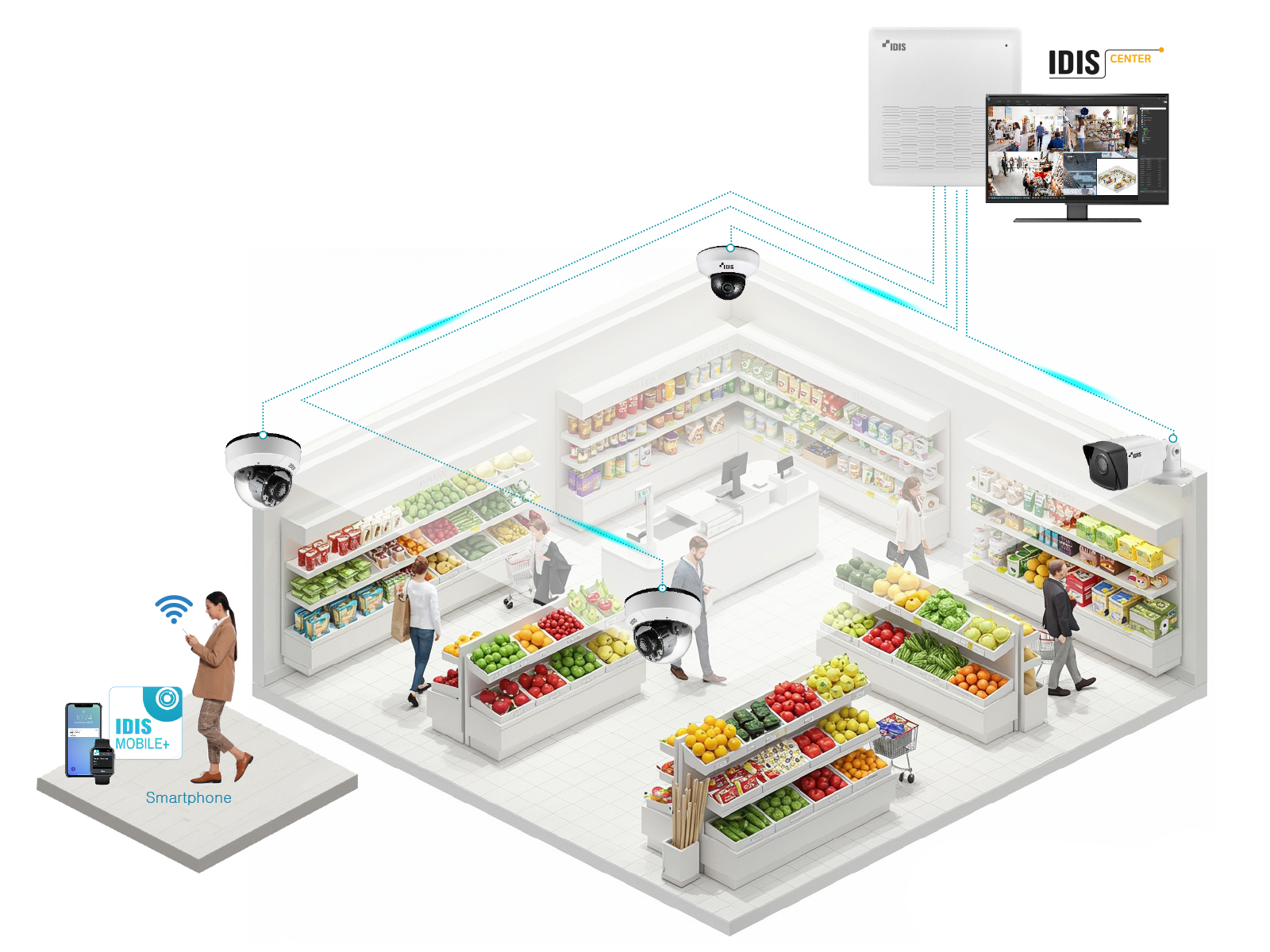
With its compact footprint and optimized power usage, our CCTV solution is perfect for space constrained environments like small offices, shops, or cafés.

Intuitive Control
Intuitive Control,
No Training Needed

Intuitive and user-friendly, our plug-and-play system lets anyone monitor and manage footage with ease.

Scalable expansion

Scalable for future expansion

Easily scalable with hybrid support and DirectIP—expand or upgrade without system replacement.

For Fast-Fit and Rapid Multi-Site Deployments

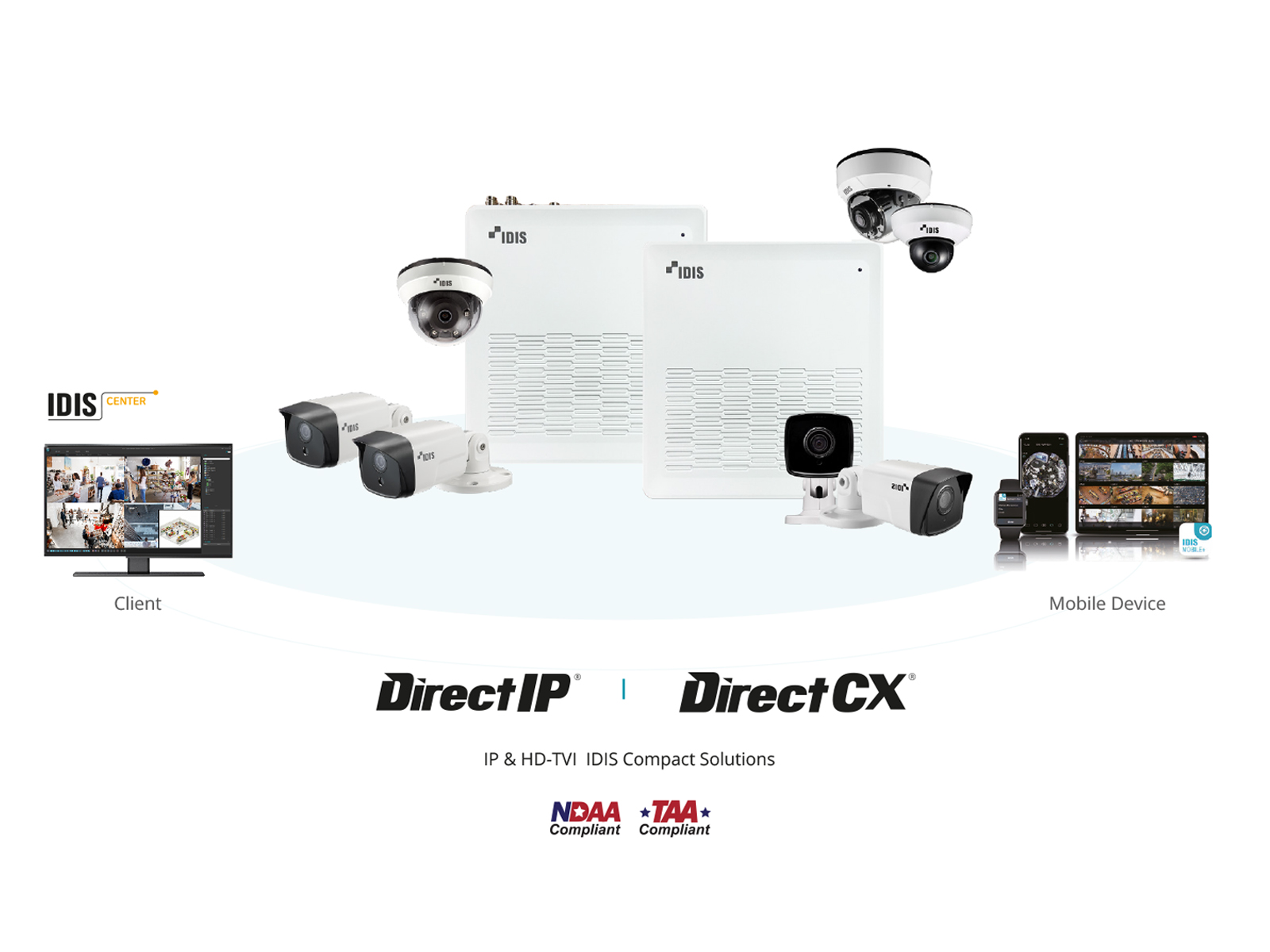
An IDIS Compact Solution is completed by choosing from a range of price competitive cameras and recorders specifically designed for rapid-fit and multi-site deployments. Easy to install through one-click network configuration, users can mix and match analog and IP technologies and operate both through a choice of IDIS client software.

관리자홈 > 제품 관리 > 팝업 관리

홈페이지 팝업을 관리합니다.

이미지 교체든 설정 변경이든, 마지막엔 [설정 저장]을 눌러야 방문자에게 반영됩니다. (어느 저장 버튼을 눌러도 이 페이지의 설정이 모두 함께 저장되니 입력한 내용이 날아갈 걱정은 없어요) 이미지 파일명은 무엇이든 상관없어요 — 자동으로 고정 주소에 덮어쓰기됩니다.
💡 파일을 슬롯 위로 끌어다 놓아도(드래그앤드랍) 업로드됩니다.
📅월간 캘린더 팝업 (매월 자동)

아래에서 정한 날짜 범위(기본 매월 1~7일)에 자동으로 노출됩니다. 매달 새 캘린더 이미지로 교체만 해주면 돼요. 팝업 이미지를 클릭하면 '캘린더 원본'이 새 창으로 열립니다.

일 ~ 기본 1~7일 · 저장을 눌러야 반영
🖥 팝업 이미지 (PC) 현재 이미지 보기
📱 팝업 이미지 (모바일) 현재 이미지 보기
🗓 캘린더 원본 (PC, 클릭 시 열림) 현재 파일 보기
🗓 캘린더 원본 (모바일, 클릭 시 열림) 현재 파일 보기
🎉이벤트 팝업 (수동)

필요할 때 켜고 끄는 수동 팝업입니다. 켜져 있는 동안 모든 국내 페이지 우측 하단에 노출됩니다.

~ 비워두면 그쪽 제한 없음 (예: 종료일만 넣으면 그날까지 계속 노출 후 자동 종료)
🖥 팝업 이미지 (PC) 현재 이미지 보기
📱 팝업 이미지 (모바일) 현재 이미지 보기
💡 운영 팁
· 이벤트 팝업을 켜기 전에 PC/모바일 이미지를 먼저 업로드하세요. 이미지 없이 켜면 빈 팝업이 보입니다.
· 행사 일정이 정해져 있다면 노출 기간을 미리 넣고 [사용]으로 저장해두세요 — 시작일에 자동으로 뜨고 종료일 다음 날 자동으로 내려갑니다 (기간 판정은 한국 시간 기준).
· 매달 캘린더 교체 순서: 팝업 이미지 PC/모바일 + 원본 PC/모바일 4개 업로드 → [설정 저장] 꼭 누르기! 저장해야 이미지 캐시 버전이 갱신되어, 지난달 팝업을 봤던 방문자에게도 새 캘린더가 보입니다.
· [현재 이미지 보기]는 항상 방금 저장된 최신 파일을 보여줍니다 (캐시 없음).
· 홈페이지 방문자의 "오늘 하루 그만 보기"는 기존과 동일하게 동작합니다.
· 🧪 [테스트 노출]은 저장과 무관하게 지금 이 브라우저에서만 1분간 팝업을 강제로 보여줍니다 — 이미지 올리고 실제 화면을 미리 확인할 때 쓰세요. 방문자에게는 안 보이고, 1분 뒤(또는 버튼 다시 클릭 시) 자동으로 꺼집니다. 단, 테스트가 보이려면 footer 최신본이 배포되어 있어야 해요.