| 61 | Software | Q. When IDIS Solution Suite Wibukey is not recognized and the ISS works as a demo | 2021-06-08 |
|
A.
1. Remove the Wibu Key and remove the Wibu Key driver from Programs. (If the WibuKey was plugged in while installation, reinstallation will not restore it.) |
|||
| 60 | Software | Q. Is IDIS Solution Suite(ISS) compatible with VM Ware/Hyper-V? | 2021-06-08 |
|
A.
Yes. it does. |
|||
| 59 | Software | Q. How many Camera Sequences can be added in IDIS Center? | 2021-06-01 |
|
A.
There is no limit. |
|||
| 58 | Software | Q. How many Layout Sequences can be added in IDIS Center? | 2021-06-01 |
|
A.
There is no limit. |
|||
| 57 | Software | Q. I have separated the tabs of ISS and placed it all over the screen, so it is difficult to close the tabs. Is there an easy way to close or relocate? | 2020-09-23 |
|
A.
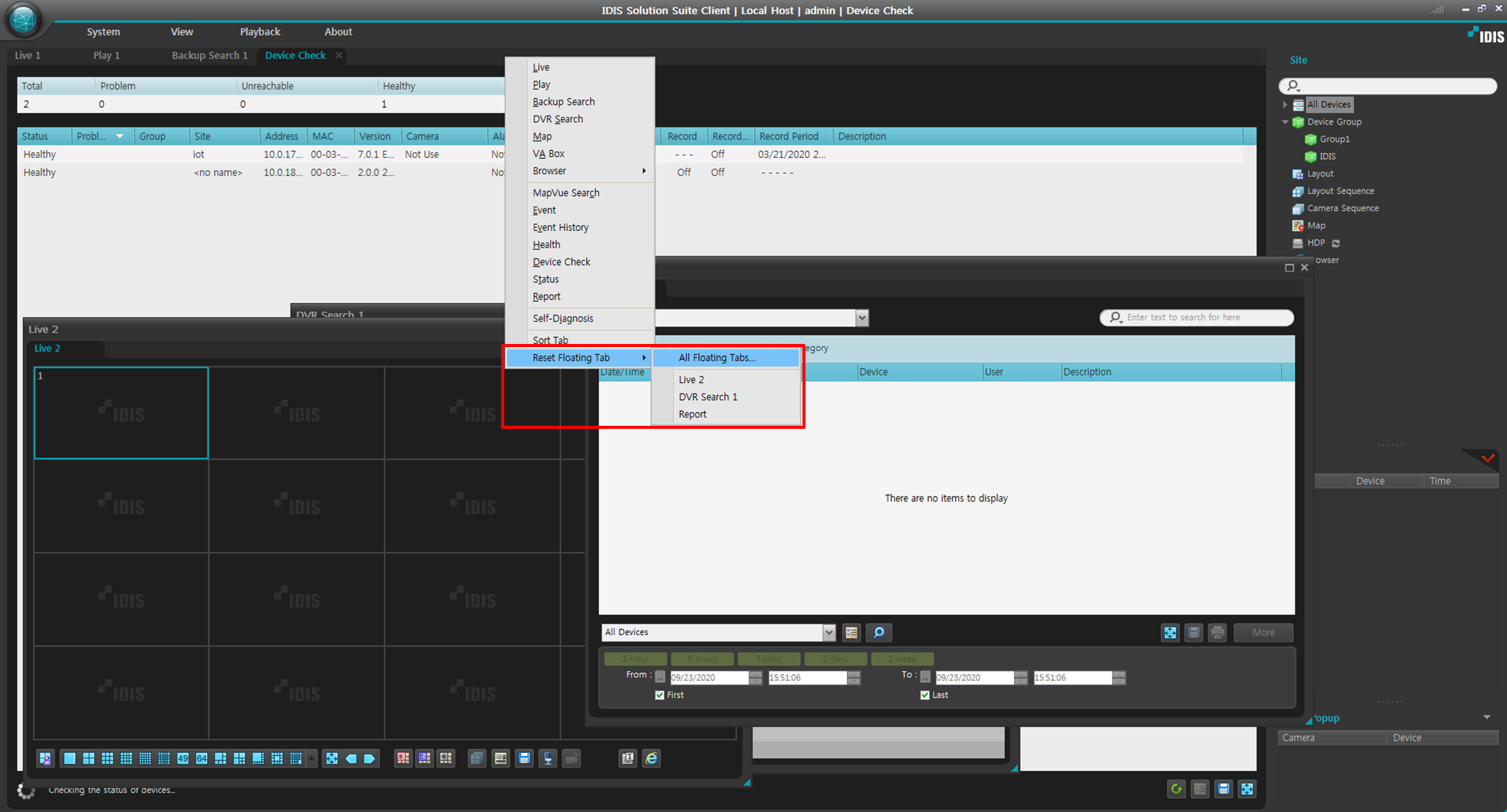
You can use the 'Reset Floating Tab' feature.
|
|||
| 56 | Software | Q. There are many registered users in ISS, so I would like to manage them as Excel file. Can I print it out? | 2020-09-23 |
|
A.
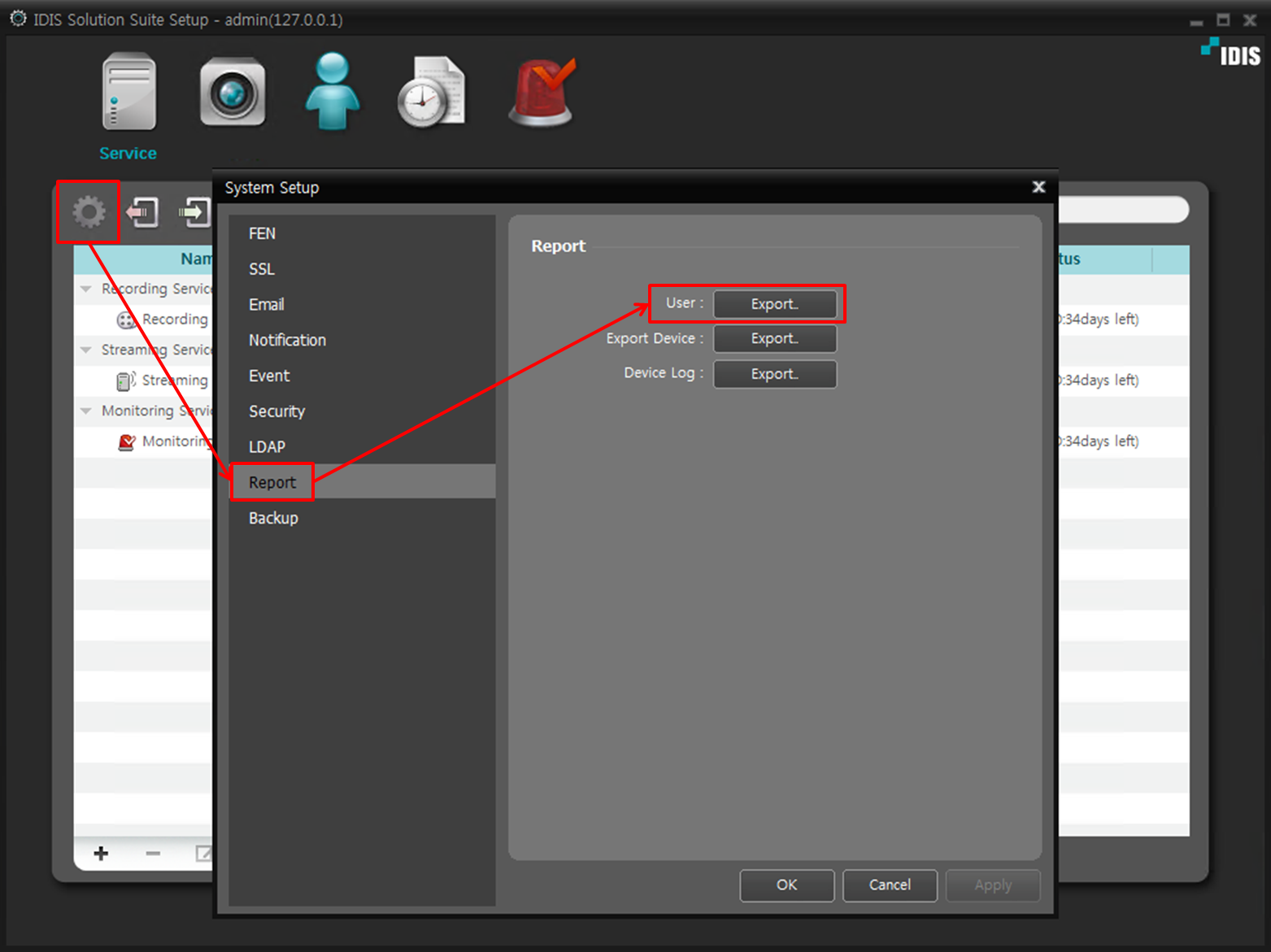
You can download an Excel file displaying user, group, and access authorities.
|
|||
| 55 | Software | Q. Is there a limit on the number of IDIS Solution Suite e-mail address registrations? | 2020-06-22 |
|
A.
IDIS Solution Suite has no limit on the number of registered e-mail addresses. |
|||
| 54 | Software | Q. There are so many services, devices and users registered in ISS that it is hard to find and set them individually. Is there any easy way to find the registered subject? | 2020-06-10 |
|
A.
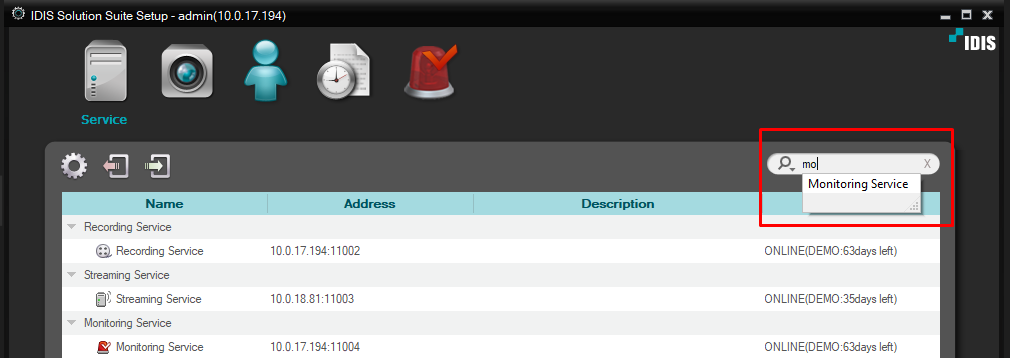
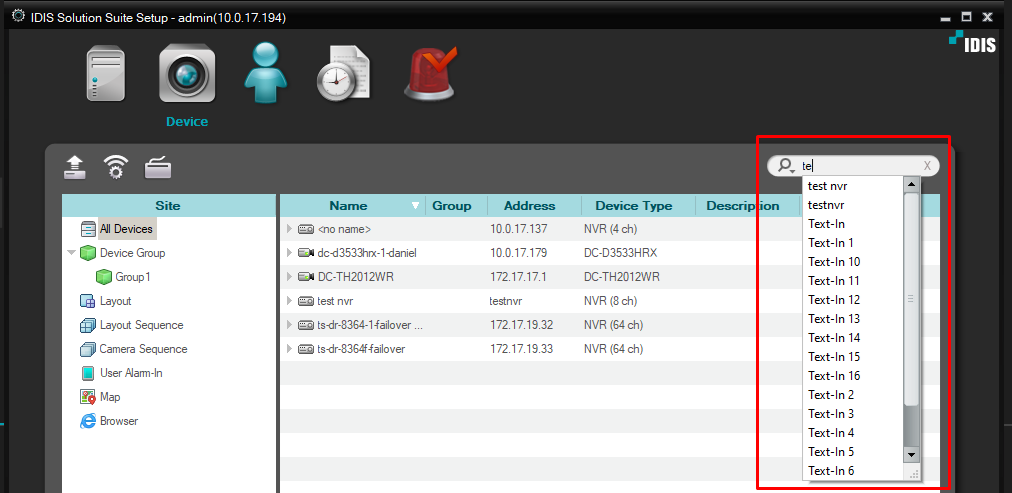
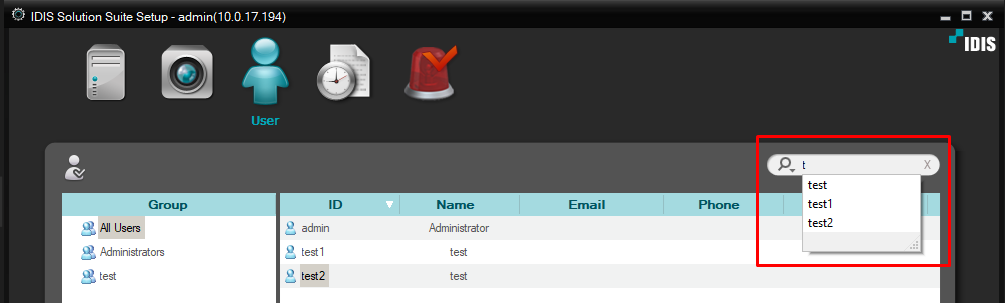
As of version 3.1.0, the auto search function has been added.
<Service tab>
<Device tab>
<User tab>
|
|||
| 53 | Software | Q. I am trying to upgrade Windows OS (ex.7 to 10). What happens to the license of the installed ISS? | 2020-05-20 |
|
A.
The ISS license can be used without problems. The ISS license is applied based on the hardware's mac or unique ID information. |
|||
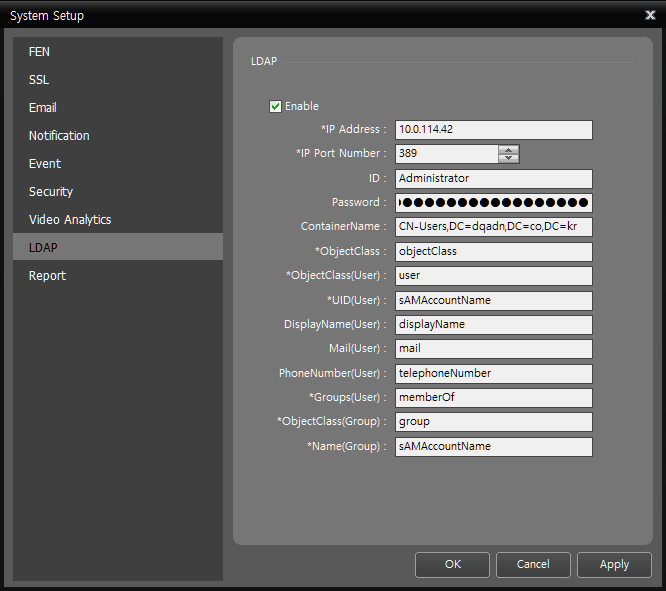
| 52 | Software | Q. What are the values for LDAP configuration values on IDIS Solution Suite? | 2020-05-12 |
|
A.
The attributes of LDAP are different for each product. Therefore, not all blanks should be entered, but appropriate attribute values must be entered for each product used. |
|||
| 51 | Software | Q. Why do IDIS Center crash when camera pane goes into full-screen? | 2020-04-02 |
|
A.
There has been reported the following issue : A customer experienced IDIS Center crash on their Demo Room PC when a camera pane is clicked and got into the full-screen mode. After the crash, the IDIS Center window was disappeared but the G2Client.exe was not terminated and still alive in the Task Manager. Solution:
|
|||
| 50 | Software | Q. Can I know CPU & RAM allocation usage when using the VMS program (iNEX/IDIS Solution Suite, iRAS/IDIS Center)? | 2020-03-20 |
|
A.
If you place the mouse pointer on the upper right signal icon of the main frame, you can check the percentage of CPU, RAM (workset), and the page file quota in real time. This feature is available on iRAS/IDIS Center v4.8.0 or higher. |
|||
| 49 | Software | Q. Where are the ISS event logs stored and what is the maximum file size? | 2020-03-16 |
|
A.
ISS event logs are stored on the server where each ISS service occurred. That is, ISS event logs stored on the PC where the ISS service is installed. |
|||
| 48 | Software | Q. What are the QR codes in NVRs for? | 2018-09-06 |
|
A.
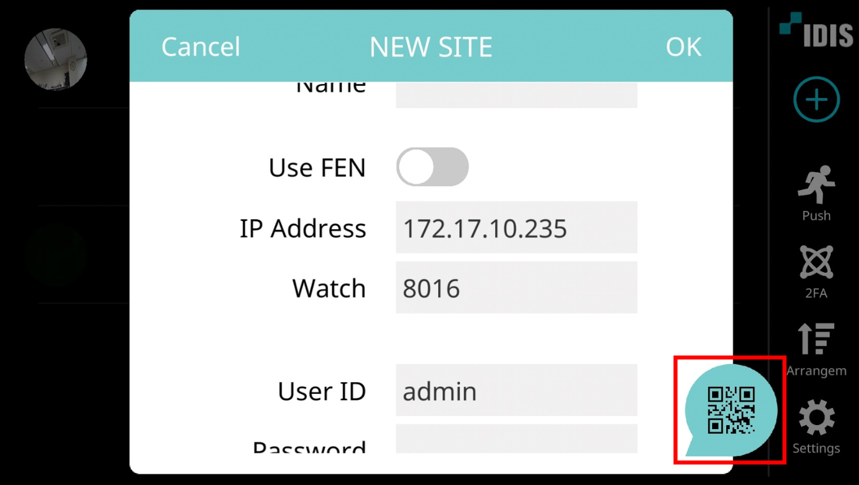
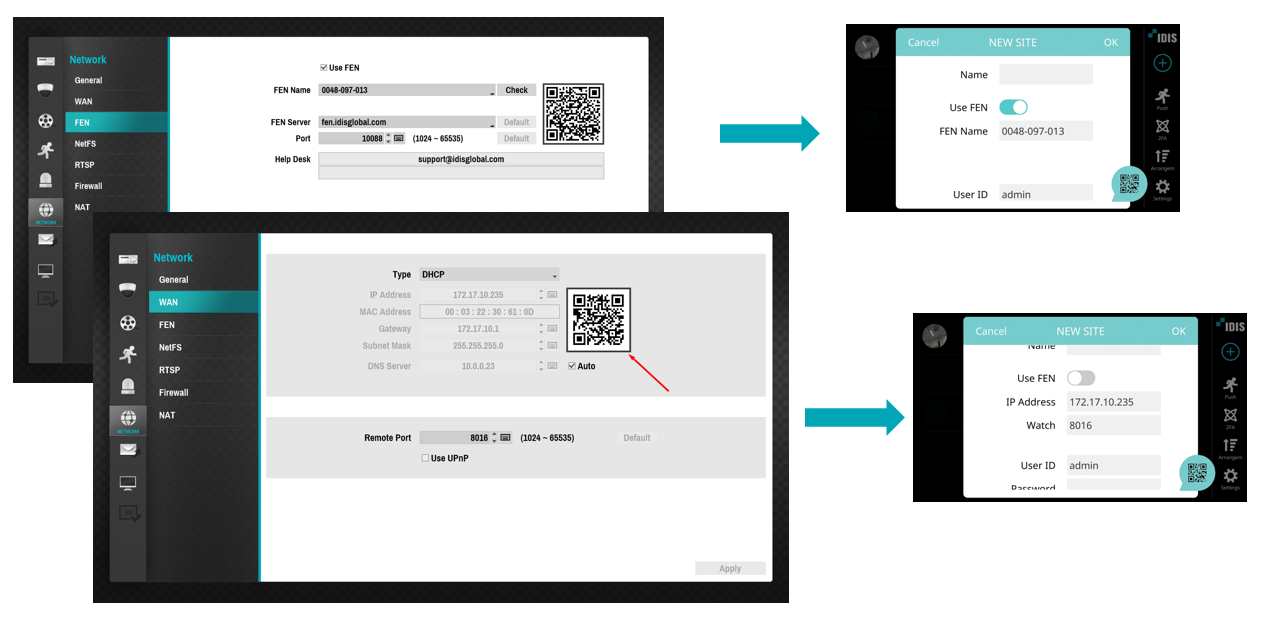
QR codes in IDIS NVRs save time to type in an IP address or a FEN name of an IDIS NVR, when registering the NVR to IDIS Mobile.
- In IDIS Mobile, when registering a site, click QR icon on the right bottom.
- Camera is going to run to capture a QR code. - Capture a QR code in an IDIS NVR. - Either IP address or FEN name of the NVR will be filled out in IDIS mobile already, and give a name for the NVR and a password to finish the registration.
Simple registration using QR codes is available for registrations with both FEN and IP address.
|
|||
| 47 | Software | Q. How many tabs can I use in IDIS Solution Suite Client and IDIS Center? | 2018-06-29 |
|
A.
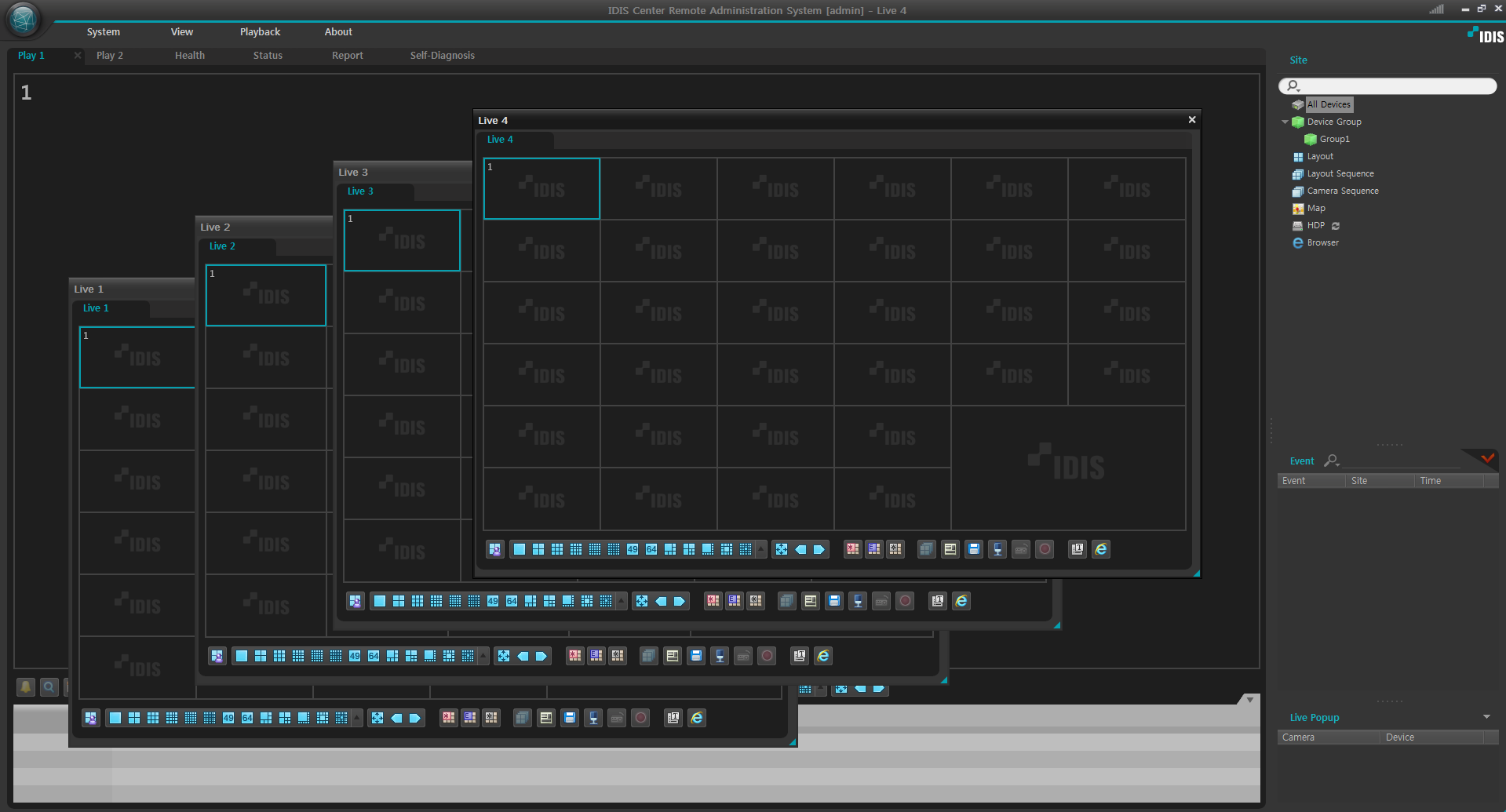
IDIS Center or IDIS Solution Suite Client can have maximum 4 Live tabs. IDIS Center with 4 Live tabs give you a small video wall by separate tabs to each monitor.
However there is a limitation on the number of tabs to create depending on Window OS. - 32bit OS: Maximum 2 tabs - 64bit OS: Maximum 4 tabs |
|||