| 42 | Camera | Q. How to use IDLA analysis when using HD-TVI cameras | 2022-11-08 |
|
A.
A. Use IDIS HDMI Encoder such as HE-1101 and DP-HE1201.
ISS(IDLA analysis) - HDMI Encoder - Analog Recorder - HD-TVI camera. Register HDMI encoder on ISS and then select it in the VA service > IDLA. |
|||
| 41 | Camera | Q. For IDIS, why is the camera and NVR connected only 1:1? | 2021-10-29 |
|
A.
It is premised to record when connecting the IDIS camera and NVR. Therefore, When registering a camera in NVR, use Record Session and Watch Session. Record Session allows only one connection. The IDIS camera has a buffer to respond to Jitter in the network, but, if more than two Record Sessios are connected, it cannot determine where to send the buffer. |
|||
| 40 | Camera | Q. Camera title in IDIS Web | 2021-07-21 |
|
A.
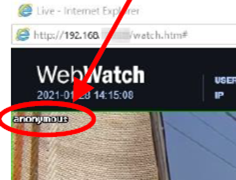
The priority in which the camera title is displayed in IDIS web is as follows:
The title entered through the mouse right-click is saved as an ini file in Windows, so you need to delete the ini file to delete the name. |
|||
| 39 | Camera | Q. There is no reset button on a camera, where is it? | 2021-07-20 |
|
A.
For some camera models, there is no reset button. Please contact techsupport@idisglobal.com for more information. |
|||
| 38 | Camera | Q. Do IDIS cameras support FTPS, SFTP, SCP protocol? | 2021-06-08 |
|
A.
No. These protocols are not supported. |
|||
| 37 | Camera | Q. Which cameras support DirectIP 2.0 Protocol? | 2020-05-12 |
|
A.
|
|||
| 36 | Camera | Q. Is it possible to connect DirectIP 2.0 protocol cameras to DR-2100/4100/6100 which only supports DirectIP 1.0 protocol? | 2020-05-12 |
|
A.
|
|||
| 35 | Camera | Q. Could you please explain the quantity and reasons for watch sessions being used on the NVR? | 2020-04-02 |
|
A.
Basically, NVR takes 3 watches and 1 search if one client does Live / Playback at the same time. IDIS Center connected to an NVR will use 1 Watch session to view the live video and the monitoring service will also take a Watch connection if Device real-Time monitoring is checked. |
|||
| 34 | Camera | Q. Could you please advise how to enable Camera-end Heatmap (without VA Box)? | 2020-04-02 |
|
A.
The Heatmap function is applied to brand new IP cameras, please check specification first before you try to set it up. |
|||
| 33 | Camera | Q. What is Auto Tracking and which camera models support the feature ? | 2018-09-06 |
|
A.
Auto Tracking is a feature tracing movements made by objects such as humans or vehicles.
Without manual control by a human, a camera automatically follows movements using PTZ.
The feature is mostly used for restricted area where the movement is rarely expected.
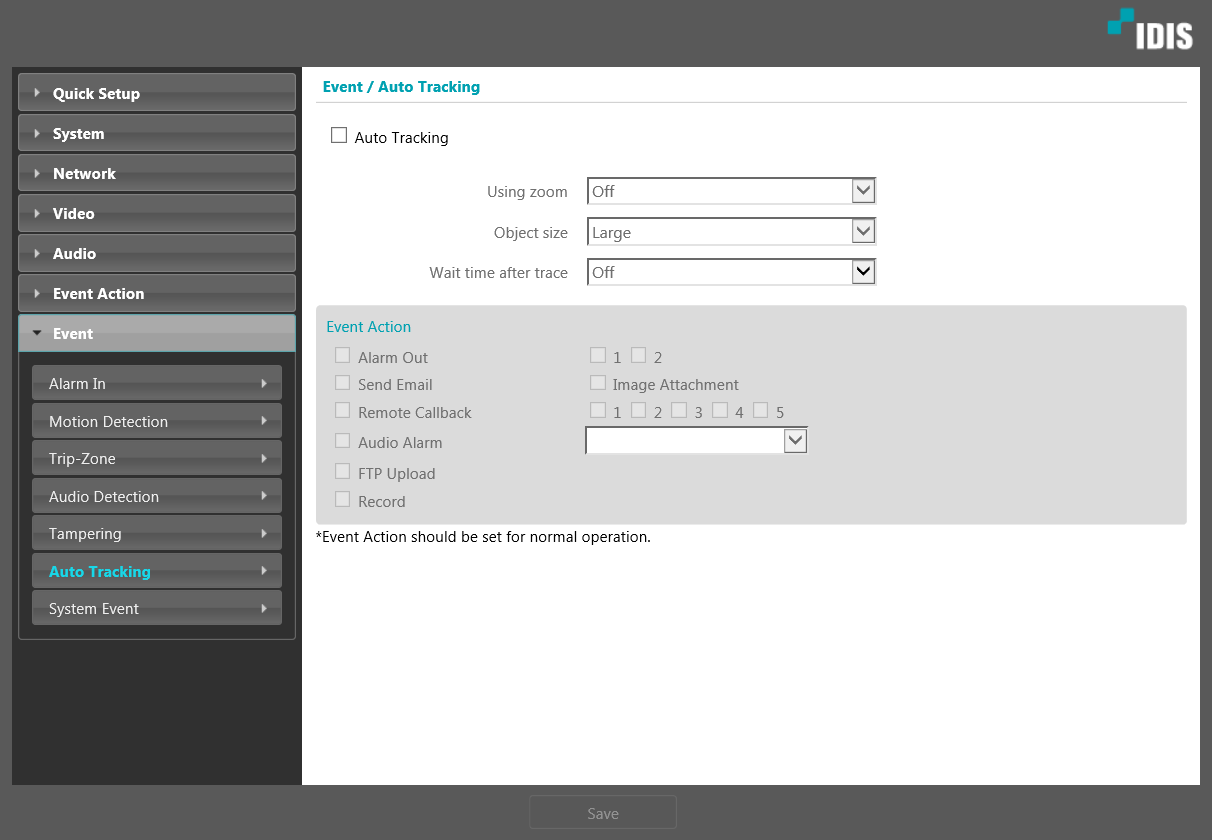 Supporting camera models
- DC-S3283WHX
- DC-S3283FX
- DC-S3583HRX
- DC-S3883HRX
|
|||
| 32 | Camera | Q. How to make an audio connection to IDIS cameras? | 2018-09-06 |
|
A.
How to make an audio connection to IDIS cameras
H.265 supporting camera models rtsp://"IP address: Port number"/media/trackID=90 For example, rtsp://10.0.123.456:554/media/trackID=90
H.264 supporting camera models rtsp://"IP address:Port number"/trackID="maximum number stream+1" For example, a camera can have 3 streams "trackID" is 3, and the URL will be rtsp://10.0.123.456:554/trackID=4. |
|||
| 31 | Camera | Q. What should I check if IR LEDs seem to be not working? | 2018-09-06 |
|
A.
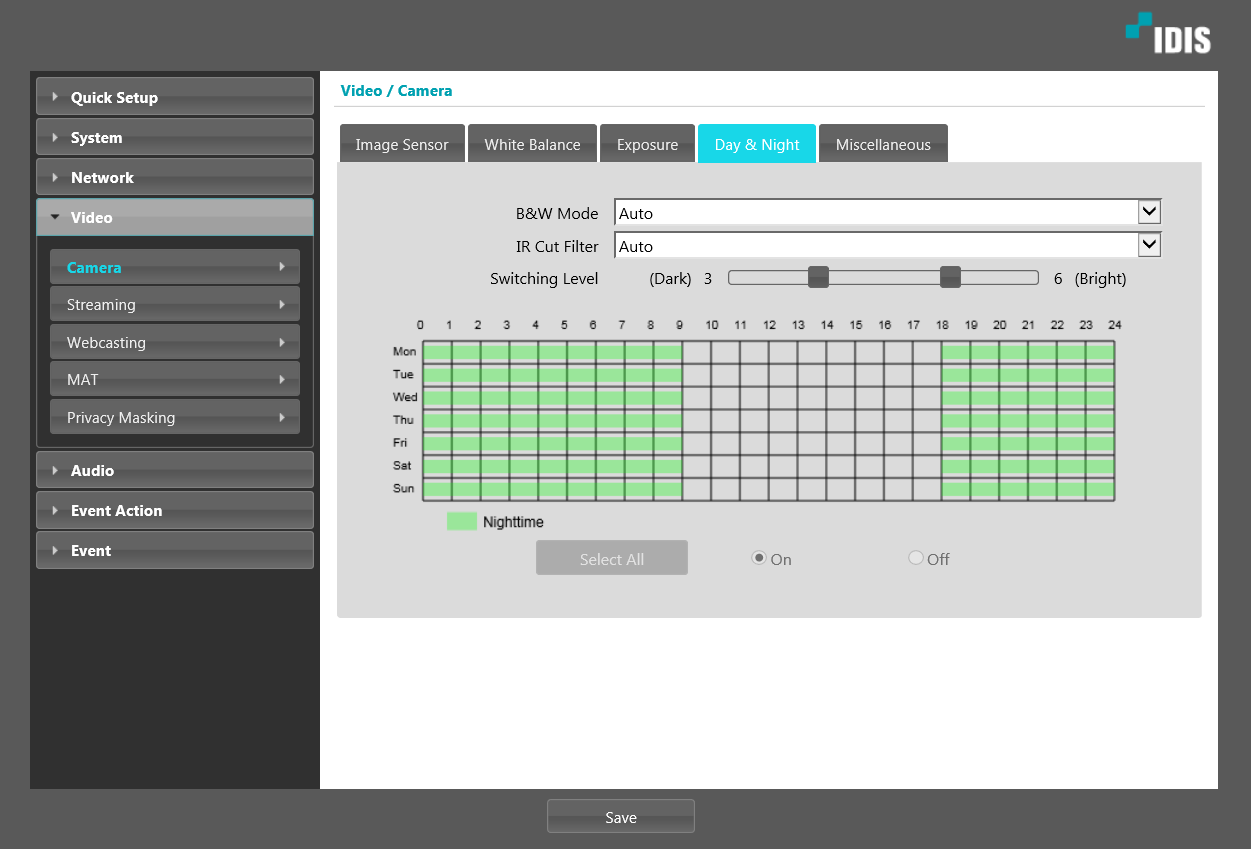
1) Turn off all the lights around a camera.
- Check if the camera changes into Night Mode.
2) Check settings of a camera
- Related settings are in Day&Night tab in Camera menu under Video in Remote Setup.
- Check if B&W mode is set either On or Off and not switching.
- Check if B&W mode switching schedule is configured correctly.
- Check if Switching Level is set as desired.
 |
|||
| 30 | Camera | Q. A lens does not work on a box camera. What should I do? | 2018-07-09 |
|
A.
For P-IRIS lenses, since the method of operation differs from each product, it has to use the tested P-IRIS lens with the camera. For DC-IRIS lenses, all the lenses are compatible.
The list of recommended P-IRIS lens are as follow.
- DC-B1203X : DC-IRIS lenses support only. - DC-B3303X :
- DC-B1303 :
|
|||
| 29 | Camera | Q. Can I use DC-T1244WR for both license plate recognition and for surveillance purpose? | 2018-07-09 |
|
A.
It cannot use for both purposes simultaneously. Each good image quality for ANPR and for surveillance is defined differently as below, so we do not recommend to use the camera for both purposes at the same time. Please refer to below and it is hard to control the image for surveillance via ANPR IP Camera.
"Good quality" image in general video surveillance. - Wide dynamic range, deep depth of field, crisp image detail, good color saturation, anti-flickering, minimal motion blur, low noise, and hundreds of other criteria.
"Good quality" image in ANPR application. - Best exposure. - Tighter iris control if possible to achieve deeper depth of field. - Shortest shutter speed to minimize the motion blur. - Black and White for better license plate capture : even though there are enough ambient lights and even though you sacrifice the color information. - Gain control to minimize the noise
|
|||
| 28 | Camera | Q. How can I watch the recording video on a SD card? | 2018-07-02 |
|
A.
There are three ways to play recorded data in a SD card, which are listed below. 1) Access directly to the camera with the SD card through IDIS Web. 2) Register the camera with the SD card to IDIS Center and access the camera. 3) Put the SD card into a PC and run IDIS Center for iHDP to playback.
Please be aware of that NVRs cannot playback recorded data in SD cards of a camera.
|
|||